• Shopping Cart Shopping Cart
    0Shopping Cart
White Toner Transfer
  • News
  • Media/Software
  • Videos
  • Tutorials
    • Laser-Dark (No-Cut)
    • Laser-Light (No-Cut)
    • Multi-Trans
    • TransferRIP
    • Tips & Tricks
  • Support
    • FAQs
      • Laser-Dark (No-Cut)
      • Laser-Light (No-Cut)
      • Multi-Trans
      • TransferRIP
      • Printer Issues
      • Heat Presses
    • Restricted content
    • Downloads
  • Contact
  • My Account
  • Click to open the search input field Click to open the search input field Search
  • Menu Menu

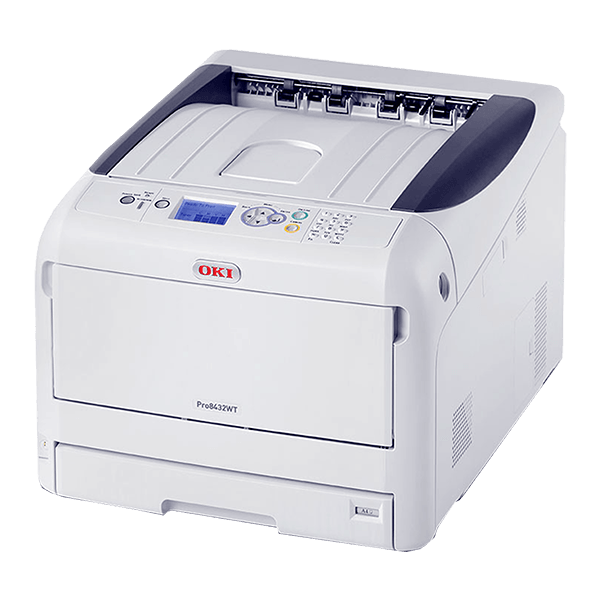
OKI Pro8432WT White Toner Printer

OKI White Toner Laser Printer the Pro8432WT - For FOREVER Digital Heat Transfer PapersOKI Pro8432WT White Toner Printer
OKI White Toner Laser Printer the Pro8432WT - For FOREVER Digital Heat Transfer Papers

OKI Pro8432WT White Toner Printer

The OKI Pro8432WT White Toner Printer prints in any color including white. It is Easy-to-use, affordable and ideal for digital heat transfer printing. Together with the FOREVER heat transfer media, the OKI Pro8432WT prints solid, sharp, bright white color designs on a wide range of transfer media.

All users are required to update the OKI Pro8432WT CMF profiles.
Click the SUPPORT tab below to find out how.

Innovative Technology

CMYW – A first for digital printing

Extend Creativity

White toner technology removes the last barrier in creativity and design.

In-house printing

Ideal for graphics, design and merchandising materials.

Versatile media

Stand-out printing on coloured media, clear film and transfer media.

Description

Printing in solid, sharp and bright white is as easy as any other colour with the high-performance Pro8432WT. The combination of High Definition digital LED technology and cutting-edge OKI white toner technology removes one of the last barriers to creativity and design for print houses, manufacturers graphic arts firms and other businesses.

Innovative technology – CMYW, A first for digital printing

The Pro8432WT is part of OKI’s White Toner (WT) portfolio – the first digital printer range that offers users the ability to print using white toner. Based on tried and tested devices, that are well regarded by graphic based industries for their high-quality output, the innovative Pro8432WT offers the same speeds as OKI’s standard colour digital LED printers and easy to use and operate.

  • Ultra-reliable digital LED printing technology and a simple, flat paper path for longer trouble-free printing.
  • Microfine High Definition toner and ProQ Multi-level output quality with 1200 x 600dpi print resolution for sharp, crisp results
  • Prints at the same speeds as standard colour digital LED printers – 35ppm A4 plain paper, 20ppm, A3 plain paper
  • Printer shipped with 2 additional 4,500 page White toner cartridges, to enhance your Return on Investment from day one

Extend creativity – White toner technology removes the last barrier in creativity and design

The Pro8432WT removes the design barriers presented by traditional CMYK printing processes. Printing solid white onto a wide variety of media, it can be used in combination with transfer media to create vibrant print on dark backgrounds, dark coloured garments and other hard surfaces.

  • Creates vibrant print on dark backgrounds, dark coloured garments and other hard surfaces
  • Produces white graphic and lettering transfers on cost-effective transfer media

In-house printing – Ideal for graphics, design and merchandising materials

White toner printing offers designers, graphics studios, point-of-sale manufacturers and a range of other graphics-based businesses new flexibility in printing, proofing and production, making it possible to print a range of demands in-house whenever they are needed. Flexible and built to overcome many of the barriers to creativity, the versatile Pro8432WT lowers the cost of producing creative design proofs.

  • Prints on paper sizes from A6 to A3 and weights up to 256gsm
  • Standard 400-sheet paper supply

Versatile media – Stand-out printing on coloured media, clear film and transfer media

For window graphics and clear film, the ability to print white on top of the other colour adds richness and depth to the graphics and text and displays white where needed, making colours stand out.

  • Creates vibrant CMYW colours on dark and light-coloured media, clear film and transfer media, ensuring colour and image integrity
Specifications
Printing TechnologyDigital 4 LED Full-color Electrophotographic Printing Method
Print Resolution600 x 600 dpi (4 levels)
600 x 600 dpi
600 x 1200 dpi
Physical dot pitch: 600 dpi
Warm-up TimeApprox. 25.0 seconds from power-on
Approx. 20.0 seconds from power save
Interface10/100/1000 Base Ethernet, (Optional) Wireless LAN (IEEE802.11a/b/g/n)
ProtocolTCP/IP
Printer LanguagePostScript 3 emulation
Supported OSWindows 10, Windows 10 x64, Windows 8.1, Windows 8.1 x64, Windows 8, Windows 8 x64, Windows 7, Windows 7 x64, Windows Vista, Windows Vista x64, Windows Server 2016, Windows Server 2012 R2, Windows Server 2012, Windows Server 2008 R2, Windows Server 2008, Windows Server 2008 x64, macOS 10.12, OS X 10.11, OS X 10.10, OS X 10.9, OS X 10.8
Memory (Std./Max.)256MB/768MB
FontPostScript emulation 80 fonts
Paper SizeA3, A4, A5, A6, B4, B5, B6, B6 Half, Tabloid (11″ x 17″), Letter, Legal 13, Legal 13.5, Legal 14, Executive, Statement, 8.5″ SQ, Folio, 8K, 16K, Photo Size (4″ x 6″, 5″ x 7″) (100 x 150mm, 125 x 175mm), Index Card (3″ x 5″) (75 x 125mm), Custom Size: Width 64-297 mm x Length 90-431 mm
Paper WeightTray 1 : 64 – 220 gsm
Multi-purpose tray : 64 – 256 gsm
Input CapacityTray 1 : 300 sheets
Multi-purpose tray : 100 sheets
Output CapacityFace Down : Max. 250 sheets
Face Up : Max. 100 sheets
Dimensions(WxDxH)449 x 552 x 360 mm
Weight(includes supplies)Approx. 37.0 kg
Operating EnvironmentOperating: 10 – 32 °C, 20 – 80 %RH
Storage: 0 – 43 °C, 10 – 90 %RH
No condensation
Power SourceSingle phase 220 – 240 VAC ±10%, 50/60 Hz ±2%
Power ConsumptionOperating: Max. 1,400W / Ave. 700W
Idle: 100W
Power Save: 12.0W
Deep Sleep: 1.0W
Auto-Off: 0.15W
Safety & Environment RegulationEnergy Star, EMC-Directive, CE Mark, GS Mark, CCC Mark, cULus Mark, cULus Mark
Noise LevelOperating :Approx. 52 dBA
Idle: < 32 dBA
In the BoxManuals, Starter toner cartridge x 4, Image Drum x 4, Power cable, DVD-ROM

  • | Space required |
side

side

front

front

Support

Download the latest CM Profiles

The following settings are required:
– Paper Type:
USER TYPE 1: Laser-Dark (No-Cut) LowTemp, Flex-Soft (No-Cut), Multi-Trans
USER TYPE 2: Laser-Light (No-Cut)
– Color Paper Setting: +2
– White Toner Density:
0: Laser-Dark (No-Cut) LowTemp, Flex-Soft (No-Cut) & Laser-Light (No-Cut)
+3: Multi-Trans
– Paper Settings: Multi-Purpose Tray, Long Edge Feeding (for DIN A4, 8.5″ x 11″)

If you are having problems printing the FOREVER Transfer Media with the new OKI Pro8432WT printer, then your may have the old “CM Profiles”. To find out if your OKI Pro8432WT has the older “CM Profiles” installed, please follow the steps below:


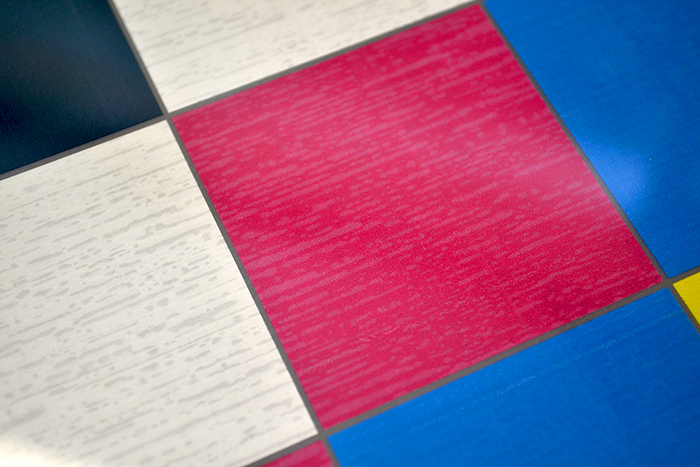
OKI Pro8432WT Printing Issue

OKI Pro8432WT printing issue


OKI Pro8432WT Printing Issue fixed

Using “USERTYPE 1” with the correct profiles installed prints even and smooth images


Step 1: How to check your printer is up-to-date

  1. Go to your OKI Pro8432WT’s printers menu panel.
  2. Press UP or DOWN on the operator panel until you see “PRINT INFO“, and then press ENTER.
  3. Press UP or DOWN on the operator panel until you see “CONFIGURATION“, and then press ENTER.
  4. Press ENTER once more.
  5. The CONFIGURATION sheet will be printed.
  6. On the CONFIGURATION sheet, search for “CM Vers.” (the last point which appears above the second line)
  7. If the CM Vers. line begins with the below numbers, then you will need to update the CM Profiles (See Step 2):
    “1:01.00.04 2:01.00.01 3:01.00.03 4:01.00.01 5:01.00.01”
  8. If the CM Vers. line has the below numbers, then you have the latest CMF Profiles installed:
    “1:01.00.05 2:01.00.01 3:01.00.03 4:01.00.01 5:01.00.01”

OKI Data software system requirements:

  • Compatible with Windows Vista, 8 or 10 ONLY.
  • Mac users are required to install Windows via Apple’s BootCamp software.
  • You can only install the new profiles if your Printer is connected via a USB cable.
  • Network connected Printers will not work. USB Cable only.
Download the latest CM Profiles

Step 2: How to install the latest “CM Profiles” from OKI Data (Download & Install the software)

  1. Download the installation files here.
  2. Unzip the downloaded file.
  3. Double-Click the “Pro8432WT_ForeverMPTool.exe” software.
    Note: If your security window appears, Click “Yes” to allow the software to install.
  4. Click “Connect”
    Note: Your OKI Printer should appear in the list below
  5. Click “Send…“
  6. Click “Yes” to begin the installation process.
    Note: Your OKI Printer will reboot automatically
  7. Close the Software and repeat Step 1 from above.

If the steps above have been followed correctly, then you will no longer have any issues printing the FOREVER transfer media with the new OKI Pro8432WT Printer. A really IMPORTANT point to make is that all users should set their paper settings to either “UserType 1” for Laser-Dark (No-Cut) LowTemp, Flex-Soft (No-Cut) and Multi-Trans or “UserType 2” for Laser-Light (No-Cut). Click the “Printer Settings” tab for more information or click here.

If you are still having issues with your OKI Pro8432WT printer, please contact us directly.

Printer Settings

The following settings are required:
– Paper Type:
USER TYPE 1: Laser-Dark (No-Cut) LowTemp, Flex-Soft (No-Cut), Multi-Trans
USER TYPE 2: Laser-Light (No-Cut)
– Color Paper Setting: +2
– White Toner Density:
0: Laser-Dark (No-Cut) LowTemp, Flex-Soft (No-Cut) & Laser-Light (No-Cut)
+3: Multi-Trans
– Paper Settings: Multi-Purpose Tray, Long Edge Feeding (for DIN A4, 8.5″ x 11″)

Use the below settings for printing the FOREVER heat transfer media, either through the TransferRIP software or the another program.

OKI Pro8432WT:

  • Paper Type:
    UserType 1: Laser-Dark (No-Cut) LowTemp, Flex-Soft (No-Cut), Multi-Trans
    UserType 2: Laser-Light (No-Cut)
  • Color Paper Setting: +2 (Learn How to change the Color Paper Settings)

White Toner Darkness: (Learn How to change the Toner density)

  • Laser-Dark (No-Cut) LowTemp: 0
  • Flex-Soft (No-Cut): 0
  • Laser-Light (No-Cut): 0
  • Multi-Trans: +3

Image Mode:

  • Mirror Image Mode
  • CMYK Mode (Not RGB)
  • Color Print

OKI Pro8432WT Printing Issues

OKI Pro8432WT printing issue


OKI Pro8432WT Printing issues fixed

Using “USERTYPE 1” with the correct profiles installed prints even and smooth images


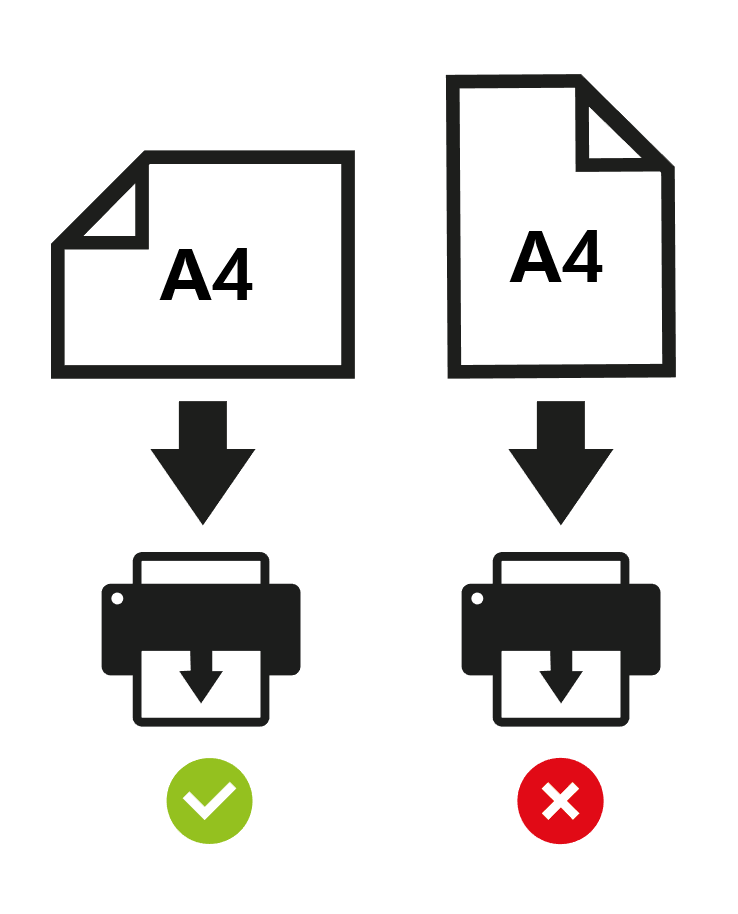
Paper Settings: LONG-EDGE FEED

All users should print using the long-edge of an A4 or Letter sized image. By printing your images with the long-edge of the paper, we can reduce the excess build-up of static electricity within the printer. Static build-up prevents colors from fixing to the transfer media.

Downloads
  • Installation Software for the OKI Data Pro8432WT CMF Profiles
  • OKI & FOREVER Setup & Installation Guide (Interactive PDF) EN / DE
  • OKI Pro8432WT TransferRIP Color Profiles:
    • Laser-Dark (No-Cut) LowTemp
    • Laser-Light (No-Cut)
    • Multi-Trans
    • Waterslide
  • Printing Instructions for all transfer media:
    • Laser-Dark (No-Cut) LowTemp EN / DE
    • Flex-Soft (No-Cut) EN / DE
    • Laser-Light (No-Cut) EN / DE
    • Multi-Trans EN / DE
  • Specifications Sheet
  • OKI Pro8423WT Brochure
  • OKI Pro8432WT Printer Manual

Related

Printers

  • OKI Pro8432WT White Toner Printer
  • OKI Pro9420WT Digital Color Printer
  • OKI Pro7411WT Digital Color Printer
  • OKI Pro9541DN Digital Color Printer
  • OKI Pro6410 Neon Color Printer

Newsletter

Latest News

  • How to Create Metallic Christmas Sweaters3rd December 2021 - 2:30 pm
  • Create Custom T-Shirt Designs from Words & Phrases13th August 2021 - 7:30 pm
  • How to Create Illustration Style T-Shirt Designs6th August 2021 - 7:00 pm

Latest Videos

  • How to Create Metallic Christmas Sweaters3rd December 2021 - 2:30 pm
  • Create Custom T-Shirt Designs from Words & Phrases13th August 2021 - 7:30 pm
  • How to Create Illustration Style T-Shirt Designs6th August 2021 - 7:00 pm

Transfer Media

  • Laser-Dark (No-Cut)
  • Laser Dark (No-Cut) LITE
  • Flex-Soft (No-Cut)
  • Laser-Light (No-Cut)
  • Laser Tattoo Paper
  • Multi-Trans
  • Multi-Trans Pro
  • Waterslide HT

Quicklinks

  • Acerca de
  • Transfers/Software
  • Soporte Técnico
  • Videos
  • Preguntas Frecuentes
  • Contacto
  • Mi Cuenta

Quicklinks

  • À propos
  • Media/Software
  • Support
  • Videos
  • FAQs
  • Contact
  • Mon compte

Software

  • IC-Split Software

White Toner Printers

  • OKI Pro8432WT
  • OKI Pro9420WT
  • OKI Pro7411WT
  • OKI Pro6410 Neon

Support

  • Videos
  • Printing Instructions
  • FAQs
  • Restricted content
  • Downloads
  • Restricted content
Popular
  • Preparing images for print10th March 2017 - 9:04 am
  • How to start a t-shirt business7th October 2024 - 12:32 pm
  • TransferRIP: Menu Overview22nd September 2015 - 8:34 am
  • TransferRIP: How to Update the TransferRIP software22nd September 2015 - 9:03 am

Keep in touch

Facebook
Instagram
YouTube


© Copyright - FOREVER GmbH 2020
  • Link to Facebook
  • Link to Youtube
  • Link to Instagram
  • Link to LinkedIn
  • About
  • My Account
  • Imprint
  • Privacy & Cookie Policy
Link to: OKI Pro920WT Digitaler Farbdrucker Link to: OKI Pro920WT Digitaler Farbdrucker OKI Pro920WT Digitaler FarbdruckerLink to: OKI Pro8432WT – Weißtonerfarbdrucker Link to: OKI Pro8432WT – Weißtonerfarbdrucker OKI Pro8432WT – Weißtonerfarbdrucker
Scroll to top Scroll to top Scroll to top
By clicking "Accept," you agree to the use of third-party cookies and other similar technologies to enhance your browsing experience, analyze and measure your engagement with our content, and provide more relevant website content. Learn more about your choices and cookies.
Accept Read More
Privacy & Cookies Policy

Privacy Overview

This website uses cookies to improve your experience while you navigate through the website. Out of these, the cookies that are categorized as necessary are stored on your browser as they are essential for the working of basic functionalities of the website. We also use third-party cookies that help us analyze and understand how you use this website. These cookies will be stored in your browser only with your consent. You also have the option to opt-out of these cookies. But opting out of some of these cookies may affect your browsing experience.
Necessary
Always Enabled
Necessary cookies are absolutely essential for the website to function properly. This category only includes cookies that ensures basic functionalities and security features of the website. These cookies do not store any personal information.
Non-necessary
Any cookies that may not be particularly necessary for the website to function and is used specifically to collect user personal data via analytics, ads, other embedded contents are termed as non-necessary cookies. It is mandatory to procure user consent prior to running these cookies on your website.
SAVE & ACCEPT

More information can be found on our family of websites!

Are you looking for something else?

  • FOREVER-OTS.com Digital Heat Transfers
  • Black Toner Transfer
Loading Comments...

You must be logged in to post a comment.